Introduction:
A property developer lives inside a CRM: leads, developments, deals, payments. It runs the day-to-day well and answers management’s questions badly. How much was sold this quarter, who owes money, which apartments have been sitting unsold for a third month — for that you go to Excel, and from Excel to Power BI. By the time a report is assembled and checked, it has gone stale.
Vizion sits alongside the CRM, reads its database and hands management finished reporting. Not a data dump but a working tool: filters, groupings, drill-down to an individual deal.
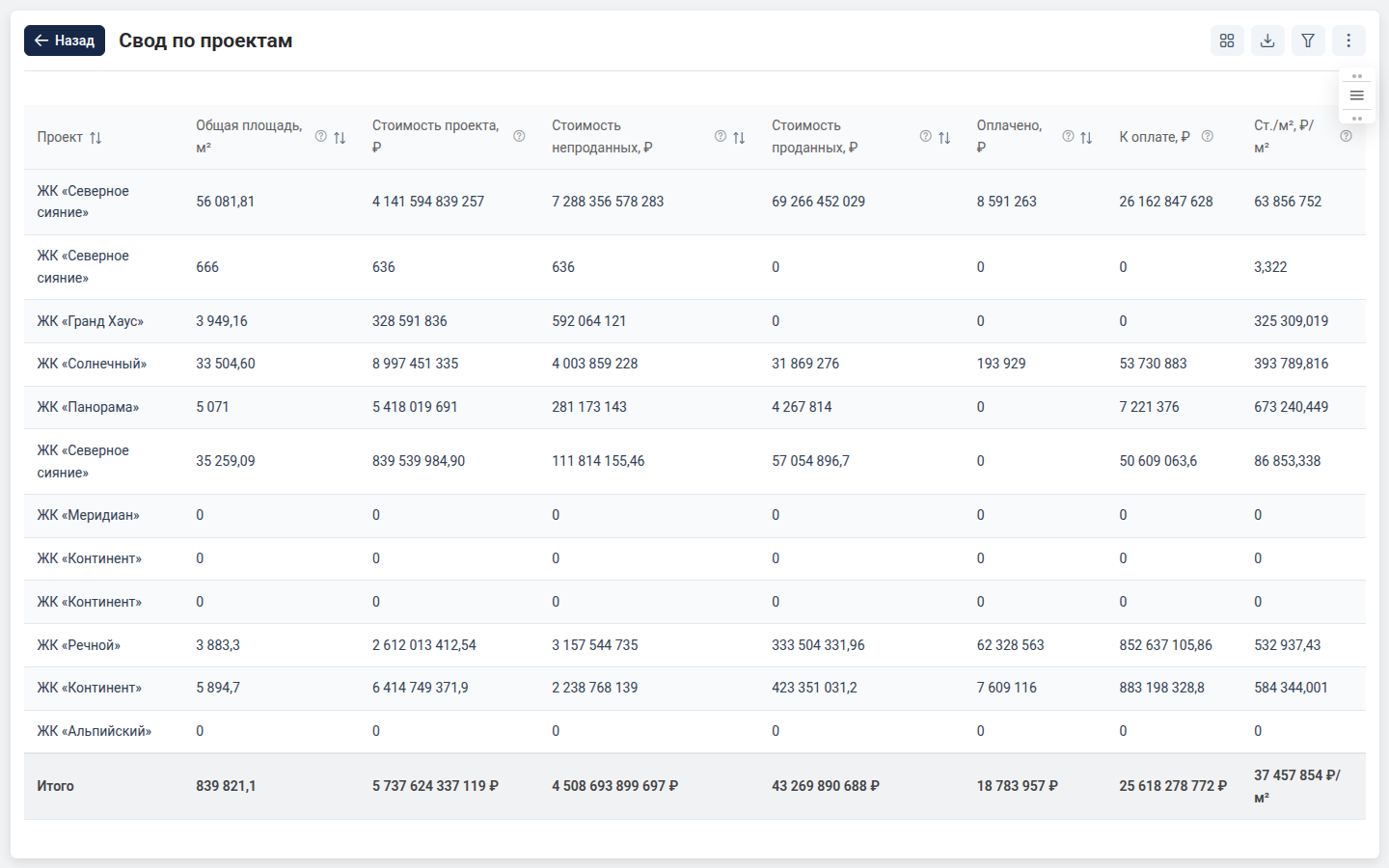
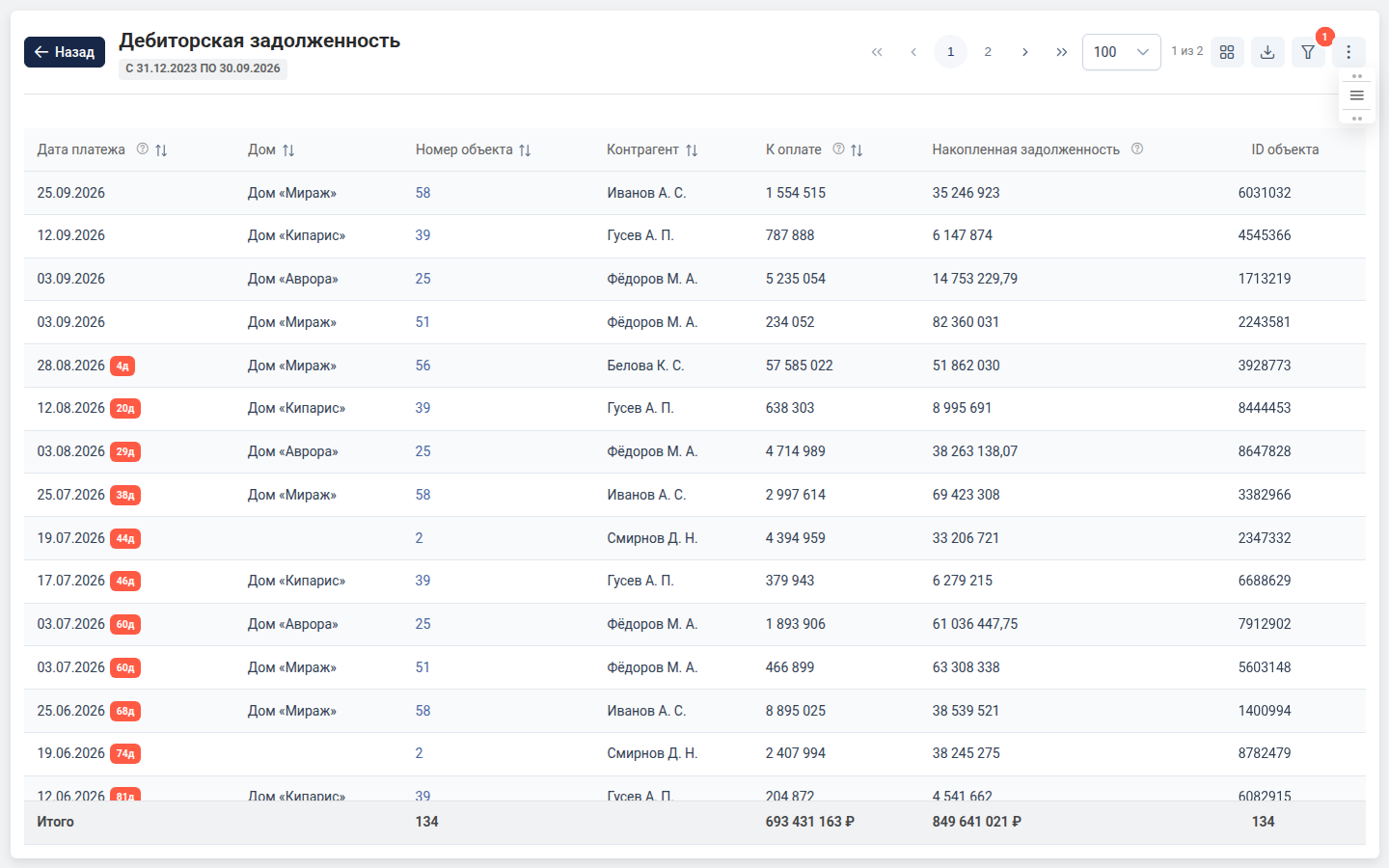
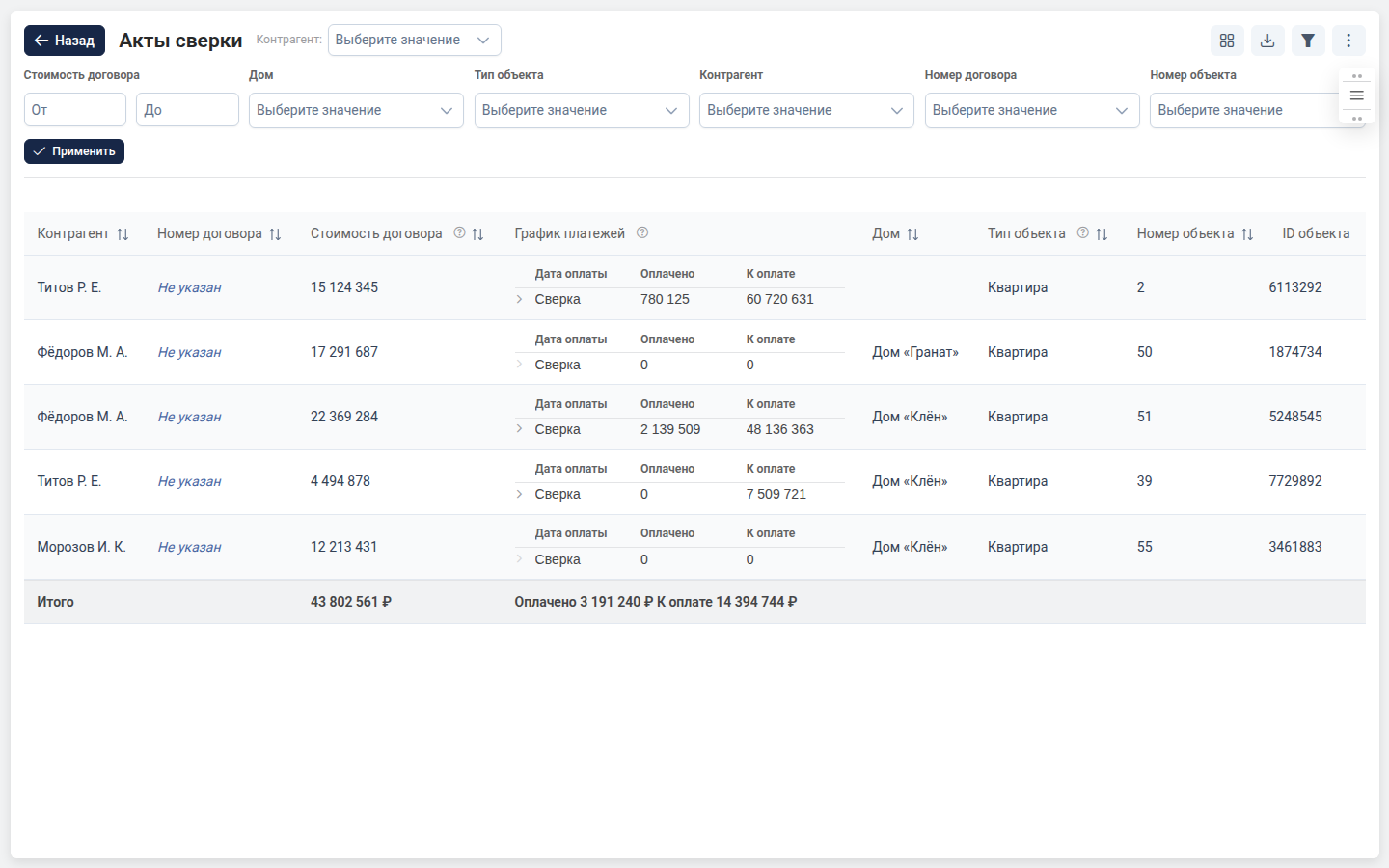
The screenshots show the system’s interface. Company names, personal names and the figures in the tables have been replaced with fictional ones: no client data is shown.
How it went:
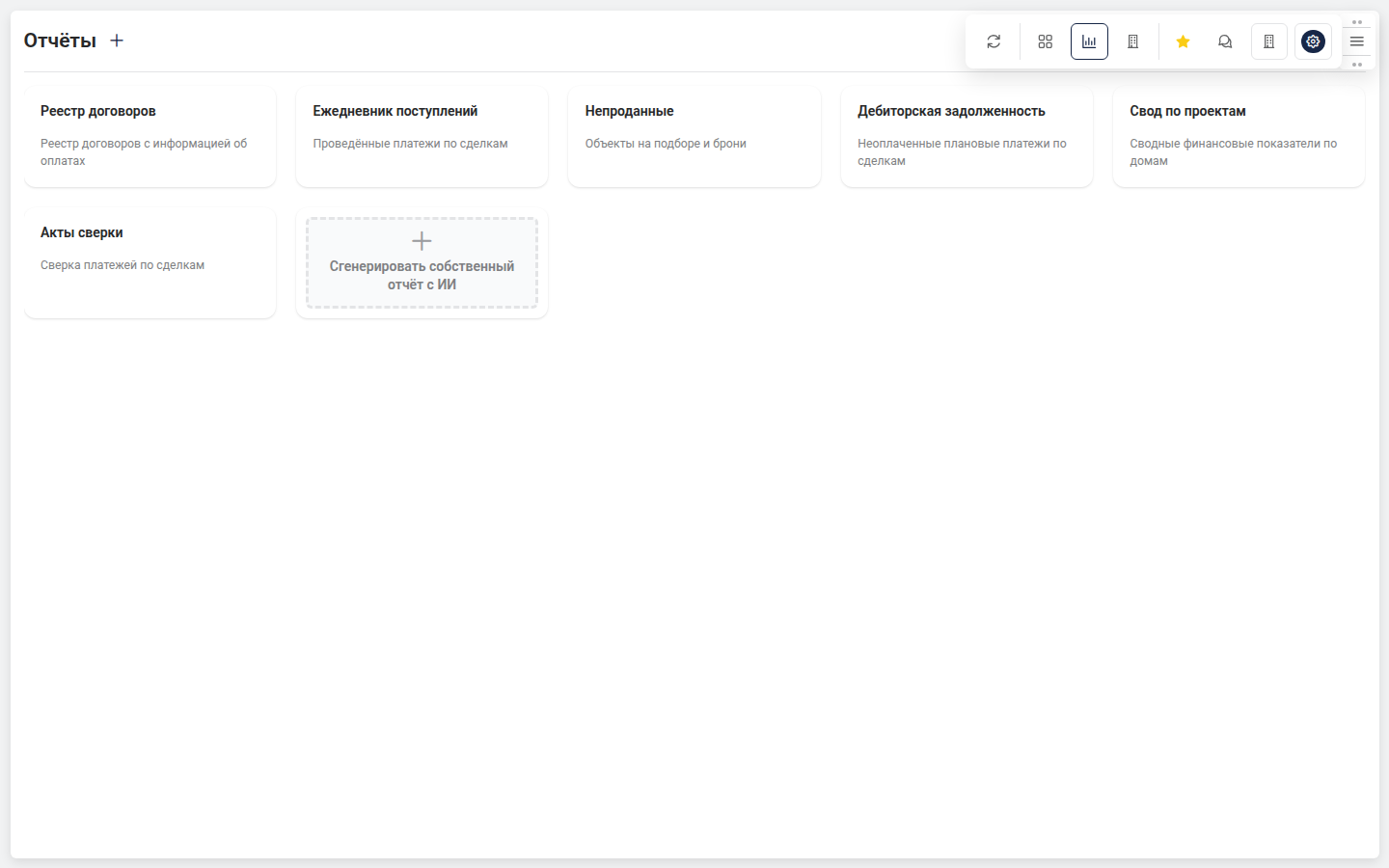
A report is a config, not code. The decision everything else grew out of. A report is described as a structure: columns and their types, filters, expressions, groupings with aggregates, derived metrics, overdue badges, totals. Adding a new report means describing it. That is where edits on the fly come from, and moving a report from one client to another.
Reports are put together by a model. Since a config is a structure, a human is not the only one who can write it. The system runs a chat on top of the company’s data: ask it “how many deals in January” and it answers in words; ask it “make a report on quarterly sales” and it creates a report. Before generating, the model has to look at the company’s real data; afterwards the config is run as a dry pass. Got an entity or a relation name wrong — it gets a structured error with hints and rewrites it itself. From there the report is edited by conversation: “add a column”, “group by residential development”. The model runs on a server of our own: reports hold the sales, debts and payments of someone else’s business, and data like that does not go outside.
Every client is on their own database. Each has their own copy of the CRM and their own reference lists. Connections are stored in the database rather than in the application config, passwords are encrypted, and the right one is substituted on the fly for the active company. To make a single system report work for everyone, I separated the config from any particular database: the report holds a reference to a concept, and what that concept turns out to be for this client is decided at query time.
Import from Power BI. A separate service unpacks a Power BI file and returns its model as a structure. The model is then matched against the CRM data, and the same report is assembled inside the system. A route for anyone who has been on Power BI for years and does not want to start from scratch.
Documents. Sales proposals for a development — with the company’s logo, palette and company details, with discounts calculated, PDF on the way out. Plus working with other people’s templates: the client uploads their own Word file with placeholders, the system suggests which data field goes where, a human confirms, and the document is filled in.
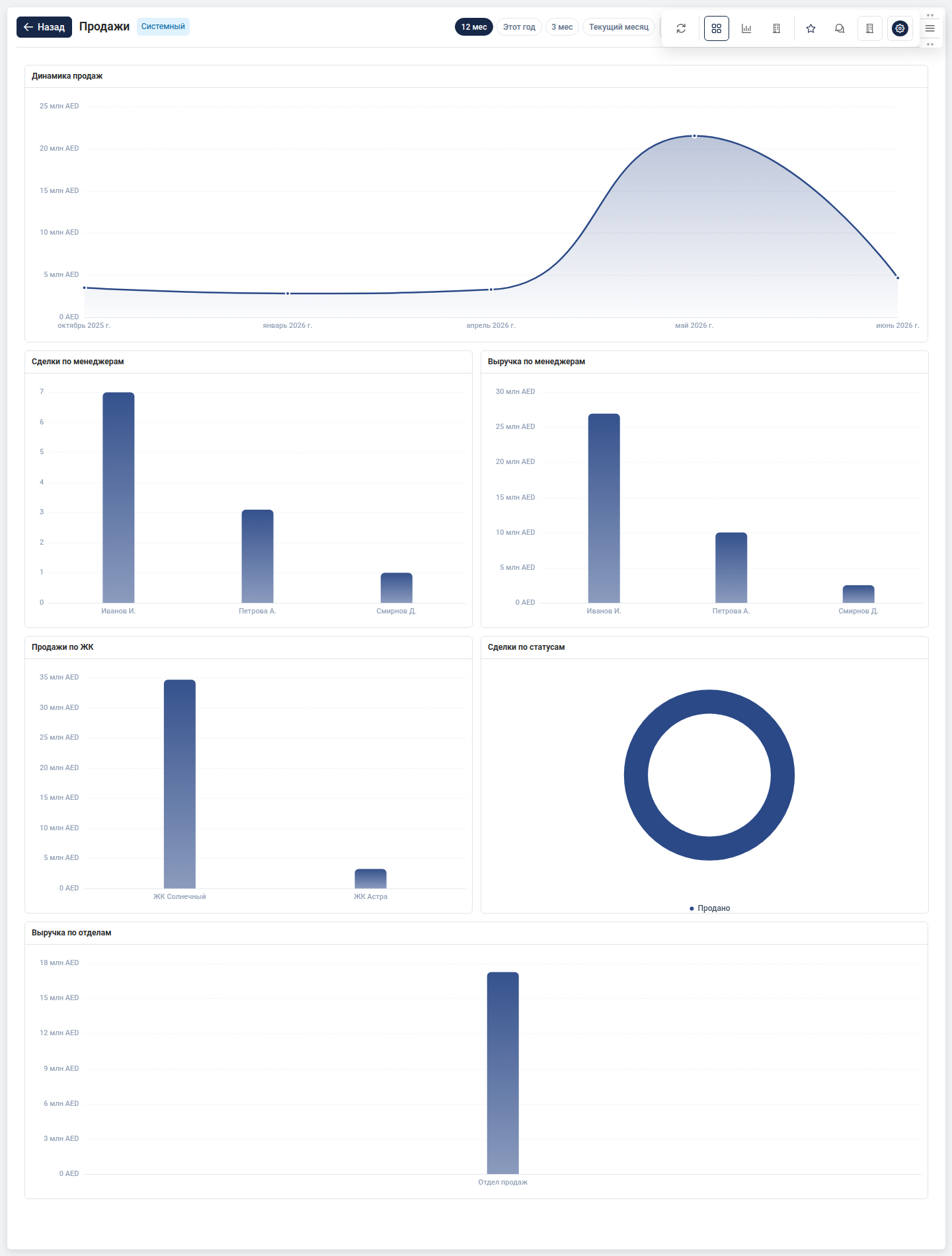
Dashboards are assembled from widgets by dragging, and every user has one of their own.
What was hard:
The main constraint on the project is someone else’s data schema, which cannot be changed. Sixty-odd CRM tables, read only, writing forbidden by the architecture. Everything the product needs is pulled out of what is already there, and it has to be done fast at the volumes of a real property developer.
Memory was a separate ordeal. Grouping large reports used to push the process into its ceiling; I had to rewrite the query as chunked reading with the sort order restored afterwards. Peak consumption dropped by more than half.
Result:
The system is used by property developers in Kazakhstan, Uzbekistan and the UAE. Each has its own currency, time zone and interface language. Inside there are ready-made reports on contracts, receivables, incoming payments, unsold units and client balances, summary tables with drill-down, and an export that matches exactly what a person sees on screen.
The project is alive; the latest changes went in this week.
My role:
The back end, the report engine, the layer that talks to the CRM database, the model integration, migrations and tests. The front-end skeleton was done at the start by a second developer; from there on the project has been mine.
Stack:
Laravel · PHP · PostgreSQL · Vue · TypeScript · ECharts · Docker · GitHub Actions
For anyone curious about Vizion.