About the project:
AlmaCRM is an in-house tool for the sales team. Our team built all of it, from scratch, to replace the previous system.
The company sells software to property developers in several countries, and the sales cycle here is long: it takes many steps to get from first contact to a deal, hundreds of clients are in play at once, and the whole team has to run them by rules everyone understands.
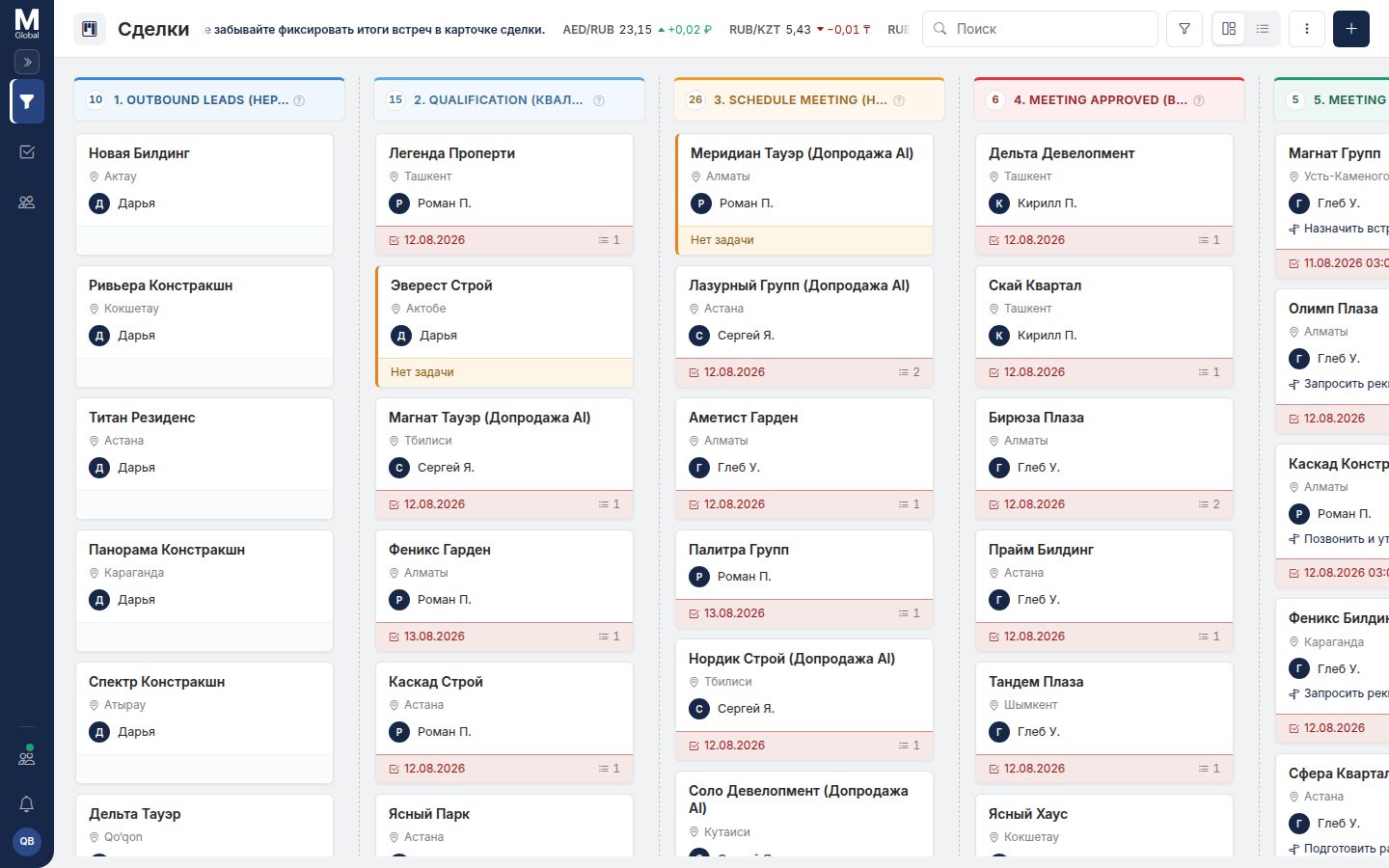
Pipeline:
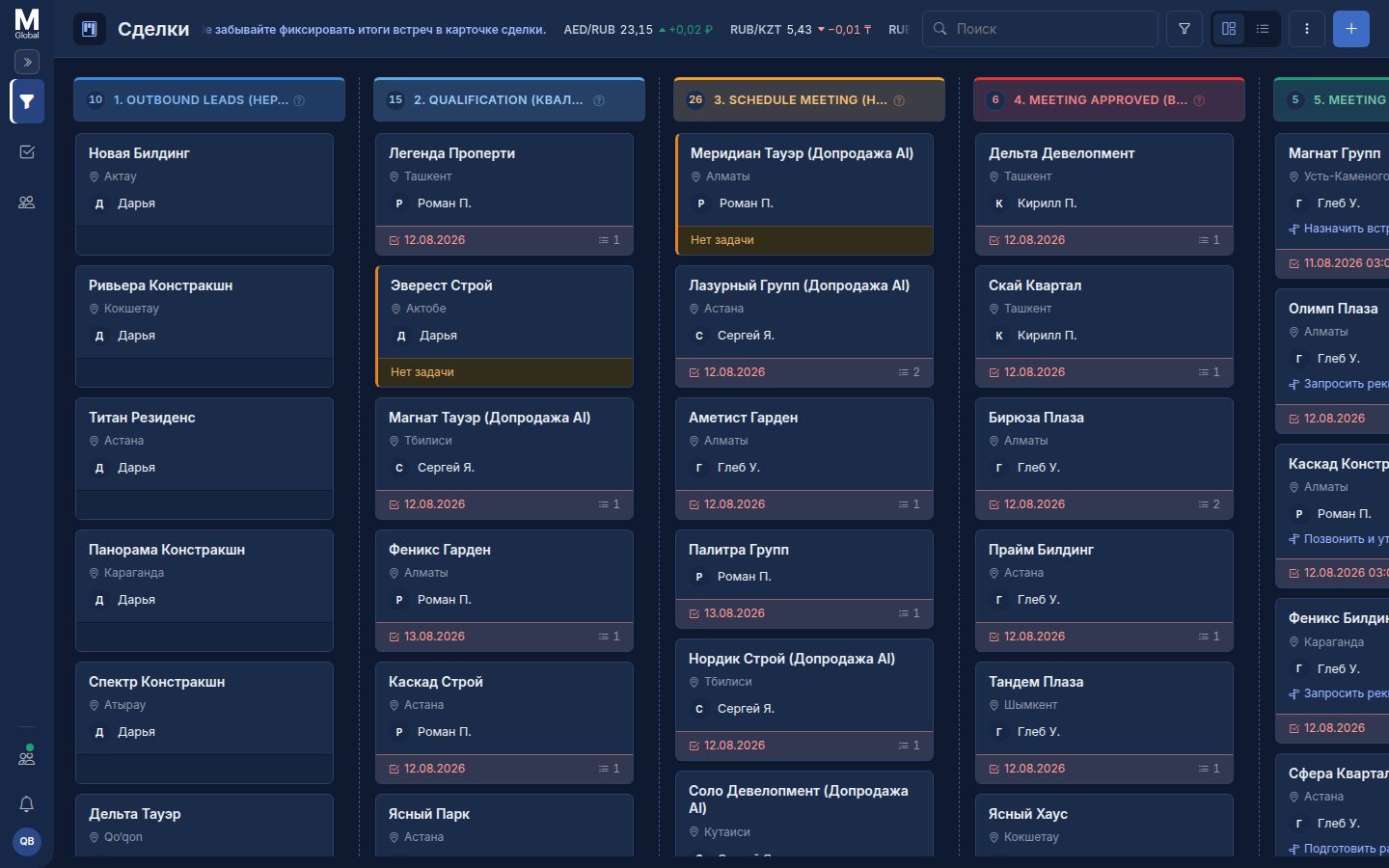
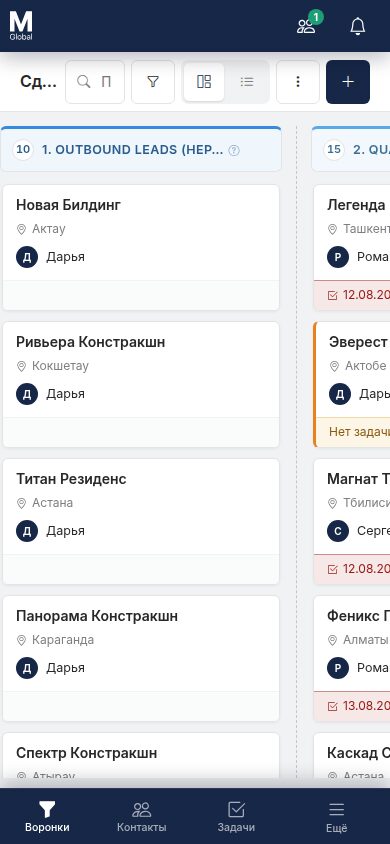
Deals move through stages on a board: every stage has its own colour, counter and total. A card can be dragged to the next stage, and the set of fields on the card is configurable — different stages need different things. There are bulk actions and a switch between the board and a table.
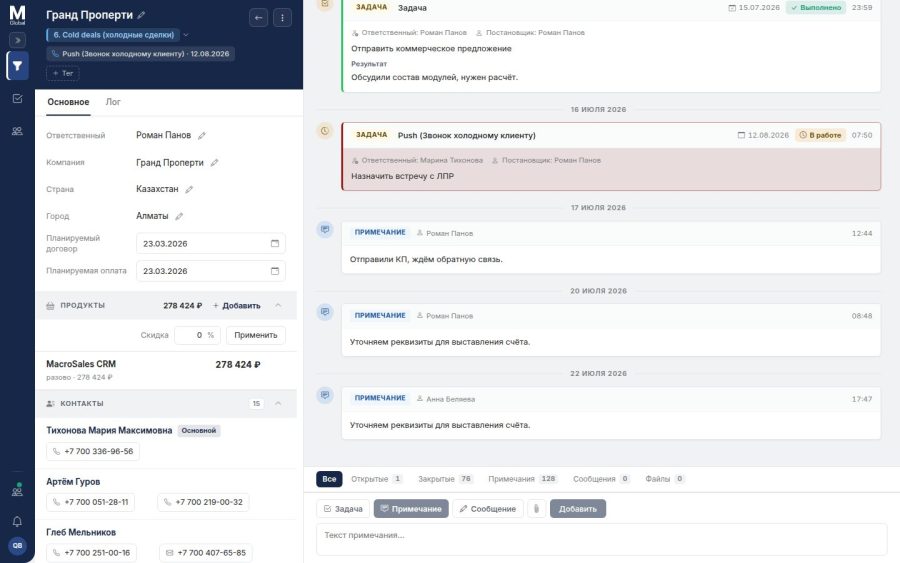
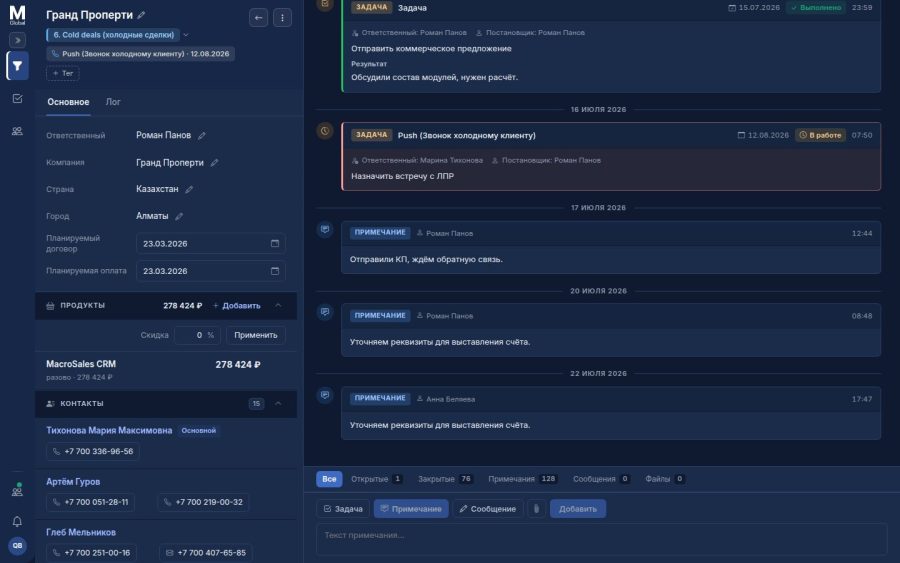
Deal card:
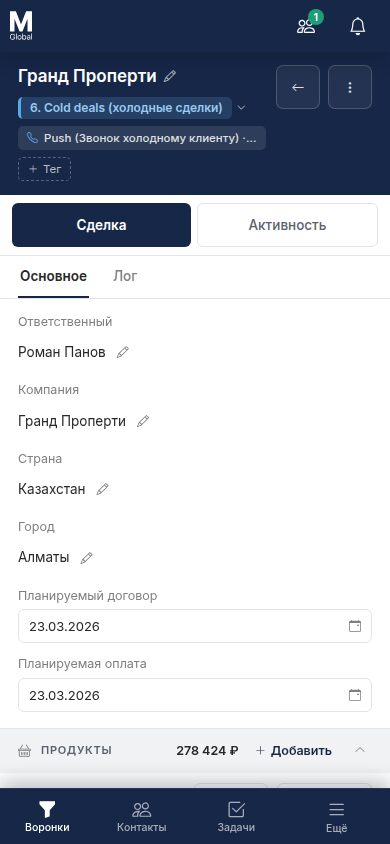
A page of its own: on the left — the stage, the assignee, the company, the contacts with their communication channels, the planned dates and the price calculated from the product catalogue with discounts. On the right — the activity feed for the deal.
Three kinds of entries go into the feed: a task, a note and a message. Files live there too, plus a separate tab with the change history — you can see who changed what.
Tasks:
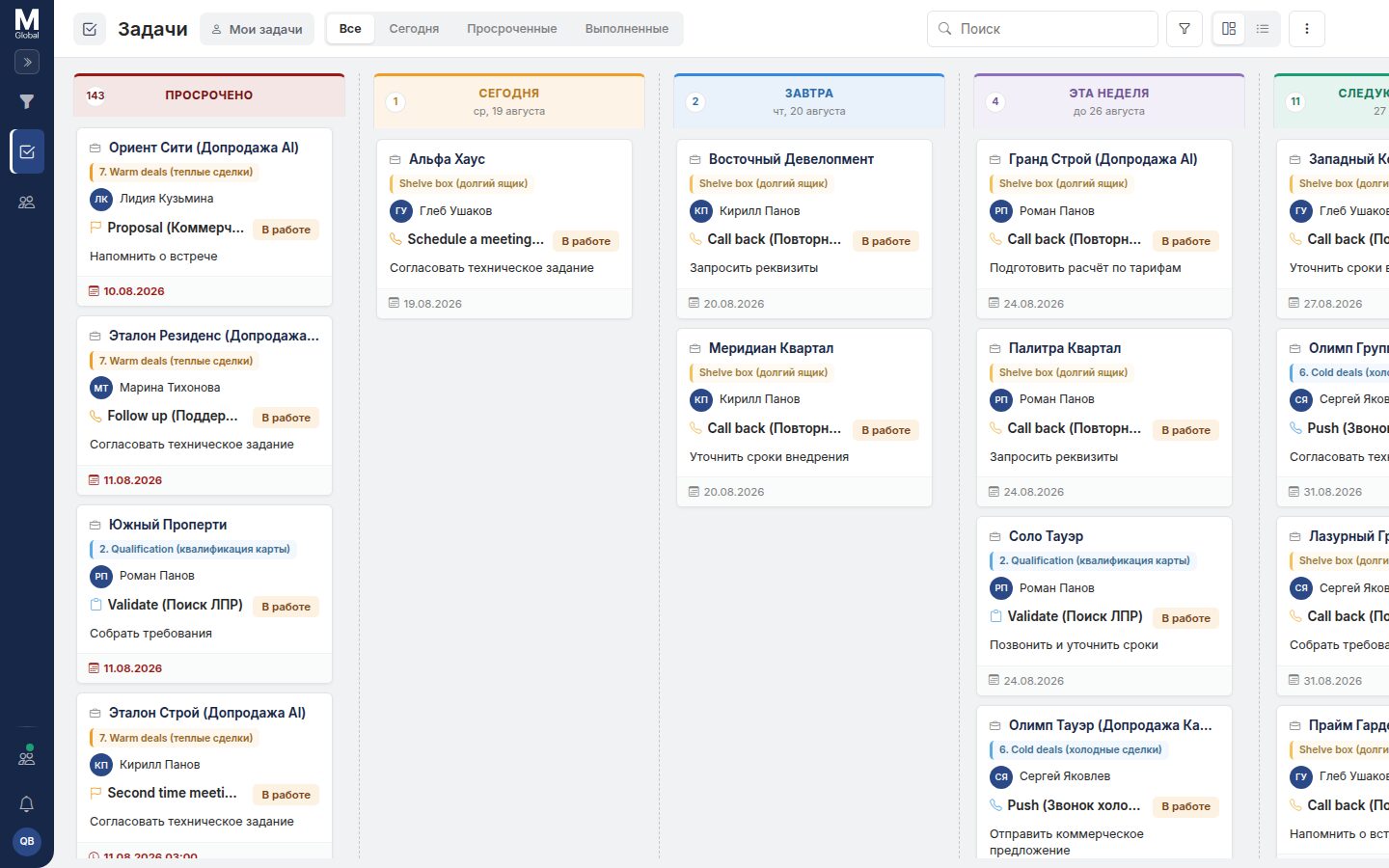
Two views to choose from. The table — with configurable columns, sorting and filters. The board — columns by due date: overdue, today, tomorrow, this week, next week. A team lead sees the workload of the team, a sales manager sees their own day.
Clients and dashboards:
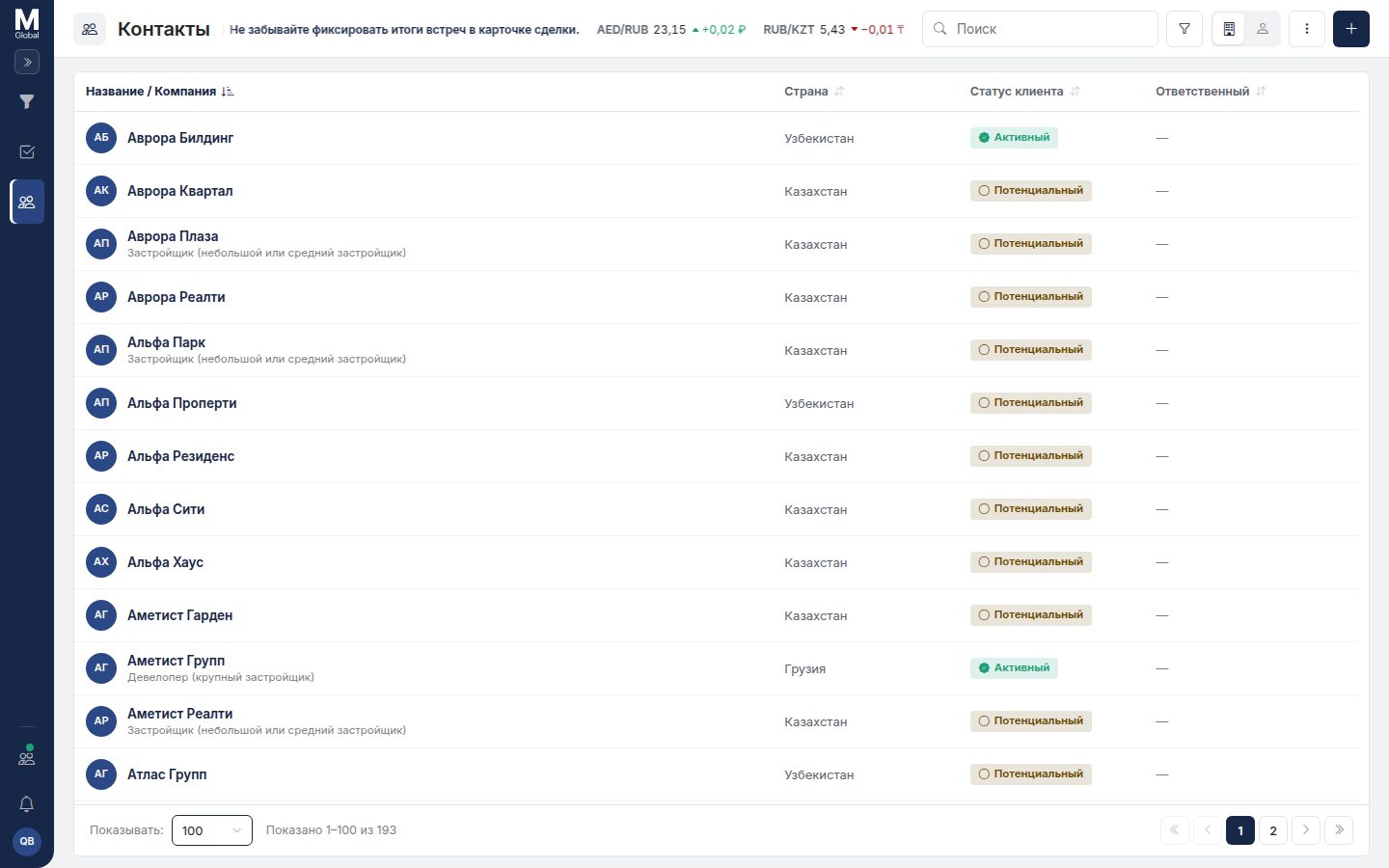
The database is split into companies and contacts: company type, country, status, assignee, and people linked to their organisations.
The dashboard is assembled from widgets by dragging — everyone sets up their own workspace. Widgets can be personal or shared with the team.
What else is inside:
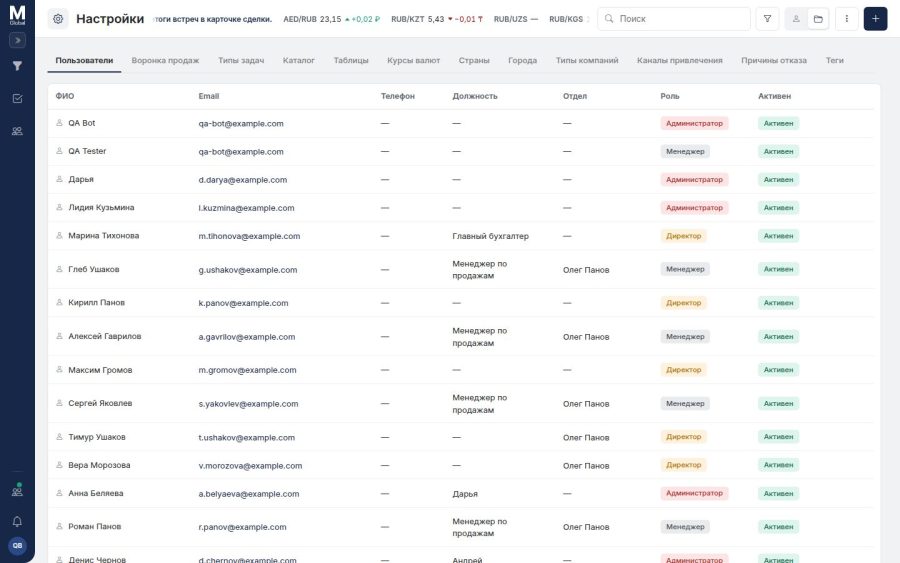
Roles and permissions — administrator, director, sales manager, with departments and team leads; access control is checked on the server, not just by hiding buttons. Reference lists: the pipeline, task types, the product catalogue, countries and cities, exchange rates, acquisition channels, rejection reasons, tags.
The system is multi-currency — the rates are kept in a reference list and shown as a live ticker with the daily change. The interface comes in two languages, in a light and a dark theme. Who on the team is online right now is visible in real time.
Design system:
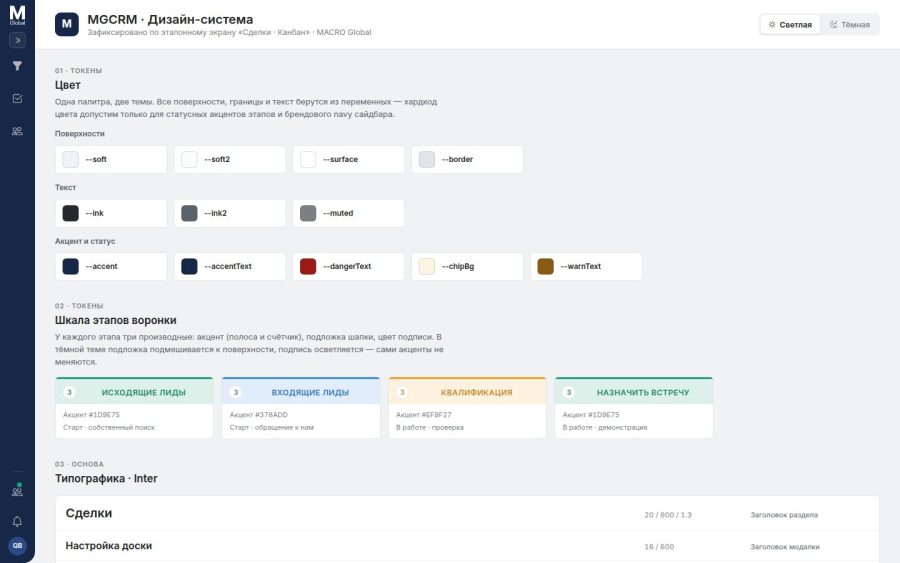
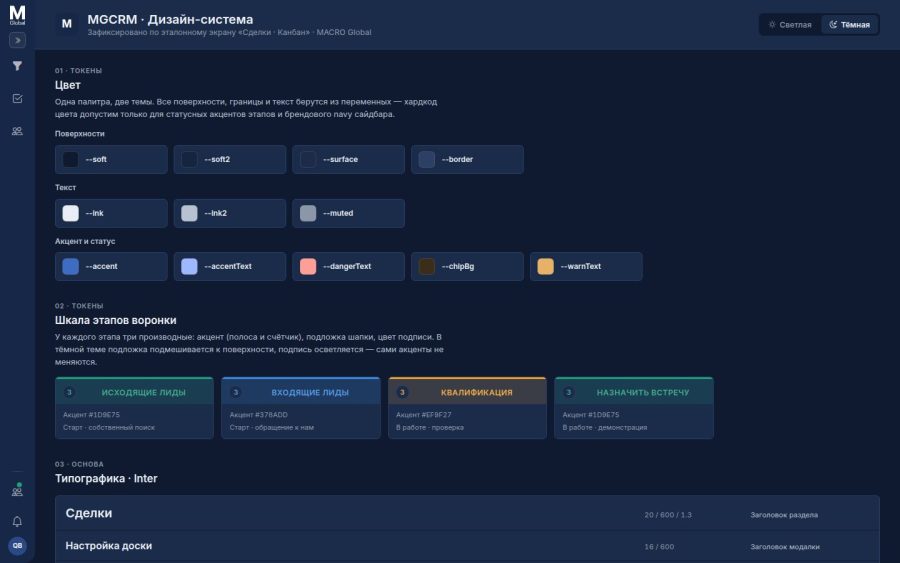
The project has a living design system of its own — a separate screen with 27 sections that holds the colour and typography tokens, the scale of pipeline stages, the icons, the components, the navigation patterns and the interface states: empty, loading, error, no permissions. It isn’t documentation “on paper” but a working showcase that all development is checked against.
Mobile:
On a phone the side rail is replaced by a bottom bar, and the deal card splits into two tabs — the data and the work on the deal.
My role:
I built the product from scratch up to the base version — the one the sales team was moved onto and started working with in production.
After that the client got not only the system but a tool to keep developing it themselves — Dev Platform. The product is now taken forward by the client: mostly on their own, and on some tasks with my help.
Stack:
Backend — Laravel, PostgreSQL, Redis, a separate real-time service, permissions enforced on the server. Frontend — React and TypeScript, custom drag-and-drop boards and a widget grid. Deployed in Docker.